Platform modules
Built on MusicXML and Score JSON
Each feature page maps back to the same score project model rather than a separate one-off converter.
Module
Share links
Connected to the score project workflow.
Module
Assignments
Connected to the score project workflow.
Module
Student submissions
Connected to the score project workflow.
Module
Rubrics
Connected to the score project workflow.
Real product example
One score, structured input and reusable output
Captured from the score project used as the source for teaching workflows. Captured 2026-07-15.
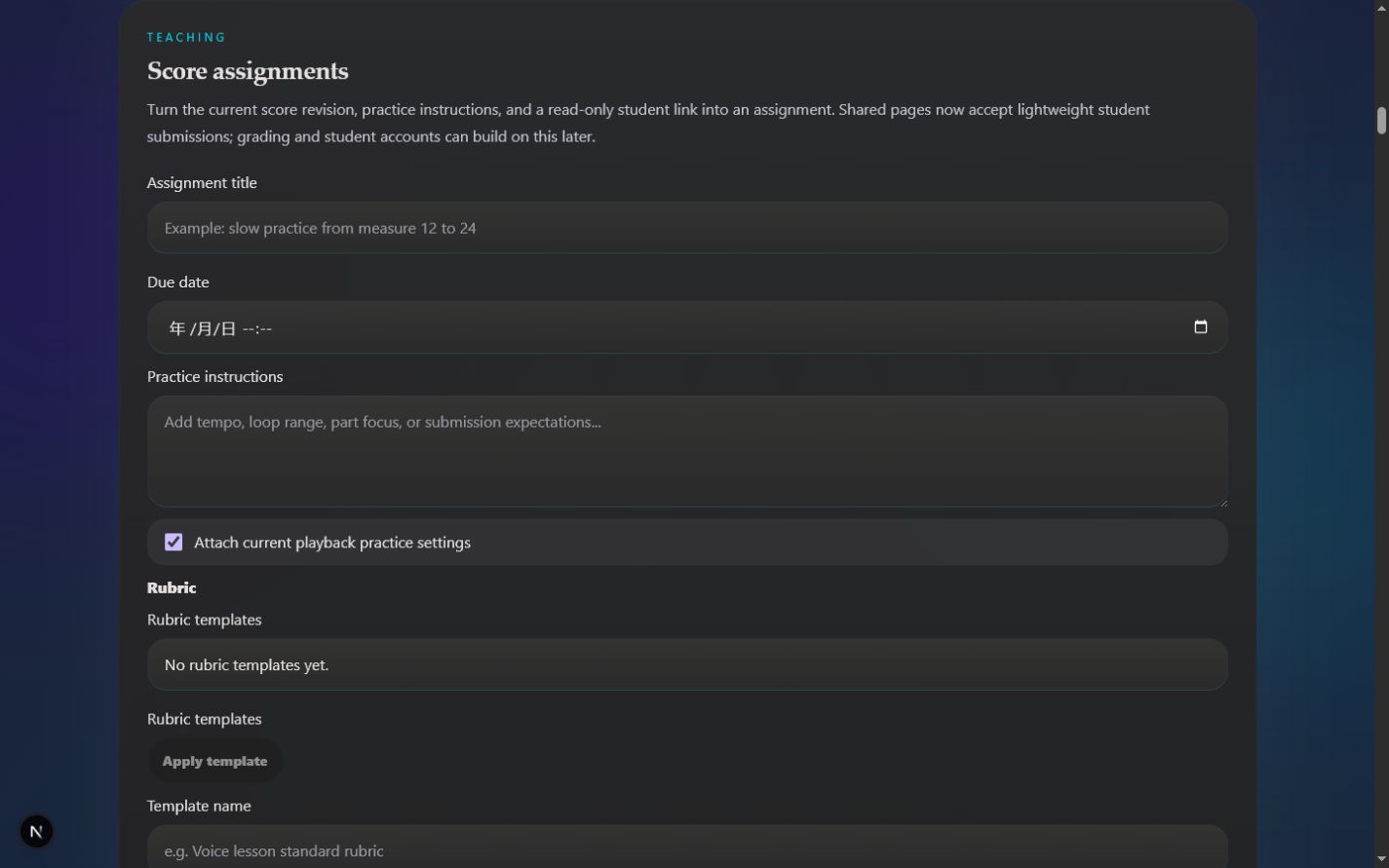
Classroom management exists separately from project-level share and assignment controls.
Workflow
How this path works
The public page leads into the authenticated app workflow when users are ready to process a score.
Create a score project
Import or scan a score, correct it, and keep it as the teacher-owned source of truth.
Share and assign
Generate a read-only student link, add instructions and due dates, and attach rubric criteria.
Review submissions
Students can submit notes, links, practice minutes, and performance files; teachers can grade and add timed feedback.
Product detail
What to expect
No-login student path
Classroom expansion path
FAQ
Questions about Music teacher assignments
Practical limits and expected workflow for this score tool.
What input does Music teacher assignments accept?
Import or scan a score, correct it, and keep it as the teacher-owned source of truth.
Can I edit the result after conversion?
Yes. Successful imports become Score JSON revisions that can be corrected, transposed, played, and exported from the score workspace.
What should I check before relying on the result?
Current teaching workflows are project-level and assignment-level; full classroom roles are planned later.
Related workflows
Continue with the same score project
These pages use the same MusicXML and Score JSON source instead of sending the score through disconnected converters.